
discovery+ | Stream TV Shows
Discovery Communications LLCEntertainment
4.732.33K Reviews
- Version
- Varies With Device
- Installs
- 10.00M
- Age Rating
- Teen
Screenshots

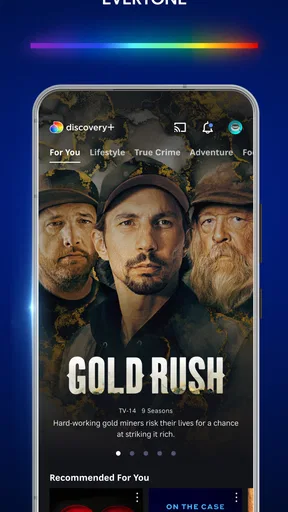
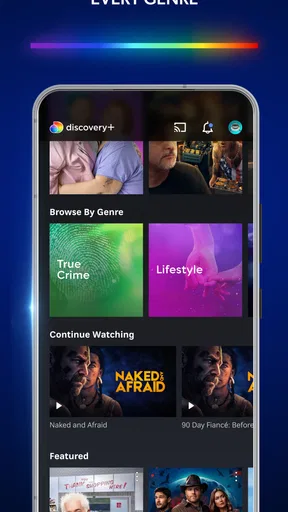
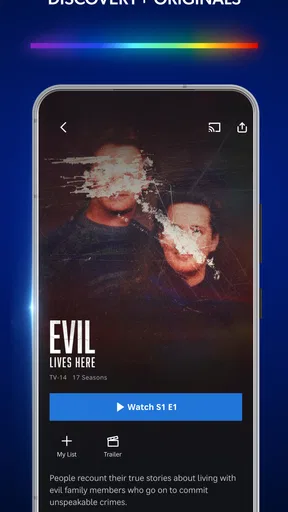
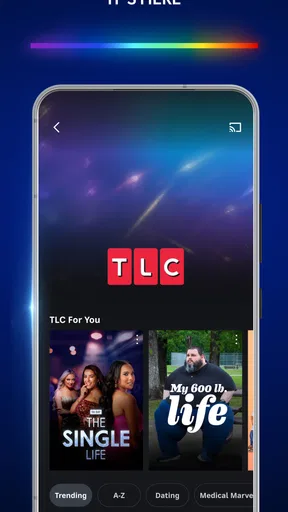

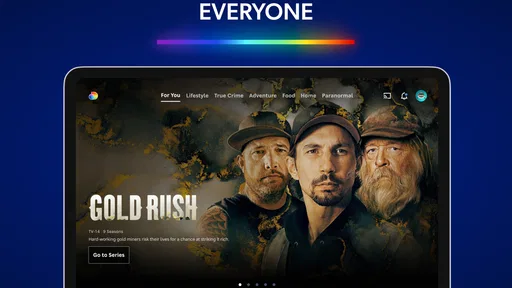
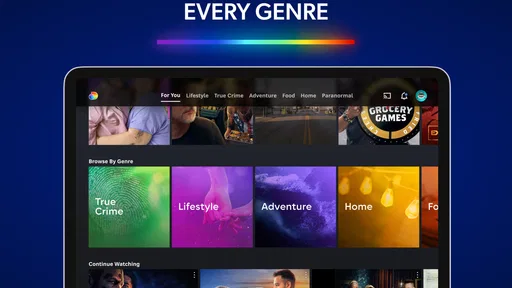
Our Review of discovery+ | Stream TV Shows
 Analysis by Appyee
I tend to judge a streaming app by a simple question: does it help me find the kind of thing I actually want to watch, or does it just give me another crowded home screen? discovery+ makes the strongest case when I’m in the mood for reality series, food and home programming, or documentaries about the natural world. It is an entertainment app from Discovery Communications LLC, and its focus feels more specific than that of a general-purpose service. If those subjects already fill your watchlist, that focus can make choosing a show easier; if you mainly want scripted dramas and films, it may not be the first app I’d reach for.
Start with the kind of viewing you want
Before installing it, I’d think less about how many shows a service claims to have and more about what I routinely watch. Do I put on a renovation series while making dinner? Do I want a documentary when I have time to settle in? Am I following a reality show that gives me a reason to return? Those are the habits that make discovery+ feel useful. Its appeal is not that it tries to cover every possible taste equally, but that it gathers a recognizable kind of real-life entertainment in one place.
That distinction matters if you are choosing between another streaming subscription and the services you already use. A broad entertainment platform is usually the more flexible pick when a household wants a mixture of scripted series, movies, and other genres. discovery+ is a more deliberate choice: I’d consider it when unscripted shows and factual viewing are a regular part of my week, rather than subscribing just because I want something new to browse for one evening.
What Is discovery+ All About?
In a nutshell, discovery+ is like a treasure trove for those who love non-fiction content. It’s packed with a wide array of TV shows and documentaries from networks like HGTV, Food Network, TLC, Animal Planet, and more. This app isn’t your typical streaming service; it’s focused on bringing the real world to your screen in the most captivating way possible.
Diving Into the Content
The content library on discovery+ is seriously impressive. Whether you’re into home renovation shows, cooking competitions, or the mysteries of the animal kingdom, there’s something for everyone. I found myself glued to "Planet Earth" reruns, while also discovering new guilty pleasures like "90 Day Fiancé." The variety is vast, and it often feels like there’s not enough time to watch it all.
What’s even cooler is the collection of exclusive shows that you won't find anywhere else. I stumbled upon a few gems that quickly became my favorites, and the app makes it easy to keep track of what you're watching with its user-friendly interface.
User Experience and Interface
Speaking of the interface, let’s talk about how easy it is to navigate this app. When I first opened it, I was pleasantly surprised by the clean layout and intuitive design. It’s easy to browse through categories, search for specific titles, or just explore the trending section if you’re feeling adventurous.
The app is pretty responsive, and I didn’t encounter any lag while streaming, which is a huge plus. The video quality adjusts seamlessly to your internet speed, ensuring a smooth viewing experience. Plus, you can download episodes for offline viewing, which is a lifesaver for those long commutes or flights.
Making It Work in a Real Routine
A useful way to get more from a library built around several distinct interests is to choose a viewing mood before you open the app. If I have only a short break, I can look for a familiar kind of reality or food show instead of browsing every category. When I have a quieter evening, a nature documentary makes more sense. That small decision keeps the app’s breadth from turning into another round of aimless scrolling.
It also helps to treat search and browsing as two different routes. If I know the subject or title I want, searching is the direct option; if I’m open to ideas, categories and the trending area offer a looser starting point. For a household with different tastes, I’d agree on a general lane first—home, food, relationships, or nature—then let each person choose a show within it. That is more practical than expecting one recommendation feed to understand everyone’s preferences.
Offline downloads are particularly handy when a connection may be unreliable, not just on a long trip. I’d prepare an episode before leaving home, then check that it is available on the device before relying on it during a commute or flight. Downloads can also make a planned viewing session easier when mobile reception is weak. I would not assume every title is available offline, so it is sensible to confirm the episode in the app before counting on it.
Subscription and Accessibility
Now, let’s chat about how you can get started with discovery+. The app offers a free trial, so you can take it for a spin before committing. After that, there are several subscription options available, and they’re reasonably priced considering the content you get access to.
One thing I appreciate is that discovery+ is available on multiple devices. Whether you’re watching on your phone, tablet, or smart TV, the experience is consistent. It’s also compatible with platforms like Roku, Amazon Fire TV, and Apple TV, making it widely accessible.
What to weigh before paying
The app is free to download, but that does not mean the full viewing experience costs nothing. Paid in-app purchases range from $0.99 to $89.99 per item, so I’d check the current offer and what it includes before committing to any payment. The listed price range can cover different purchase choices, but it is not a single price for everyone. I would also verify the terms shown in the app at the time I sign up rather than making a decision based on an old promotion.
If you are deciding whether to keep it, I’d make the choice based on actual viewing rather than the size of the catalogue. Try a few different kinds of programs that match your interests, then ask whether you would have watched them on another service you already pay for. If discovery+ becomes the place you return to for a particular type of show, it has a clear role. If you open it only when you cannot find anything elsewhere, it may be an unnecessary addition.
For parents, the Teen content rating is a useful starting point, not a substitute for choosing programs together. Reality and documentary programming can cover varied subjects and tones, so I’d check the individual show before handing the device to a younger viewer. That is especially worthwhile when a child is browsing independently: a general app rating does not tell you whether a particular episode suits your household.
Where other streaming choices may fit better
Compared with a broad subscription service, discovery+ is the more focused option. That is a strength if you regularly watch the kinds of reality, lifestyle, food, and nature programs associated with it. It is also the reason I would not make it my only streaming choice if I mainly want scripted series, films, or a wide spread of unrelated genres. A service designed around those needs may suit that viewer better, while discovery+ can complement it rather than replace it.
Free video platforms are another alternative, especially for someone who watches occasional clips rather than full episodes or follows independent creators. They can be a better fit for casual, short-form viewing. I’d lean toward discovery+ when I want to settle into a program and browse within its particular subject areas, but I would not pay for it expecting the same open-ended mix found on a general video platform. The right choice depends on whether you want a curated television library or a looser stream of individual videos.
There is also a practical trade-off in keeping more than one service: each app adds another place to search and another expense to review. I would avoid subscribing to discovery+ simply because a friend enjoys a specific show. First check whether the broader selection matches your own routine, and whether you will watch often enough to justify adding another app to your rotation. The service makes the most sense when its particular subjects are a repeat interest, not a one-off curiosity.
Switching without creating more clutter
If you are moving from another app, I would not try to transfer your whole viewing routine at once. Start by identifying the shows or subjects you actually want from discovery+, then use search to see how quickly you can find something that suits you. Save or keep track of the programs you intend to continue, and give the recommendations time to become useful through your own browsing. The app can help with discovery, but it cannot make a scattered watchlist feel organized unless you decide what matters first.
A realistic weekday example: after work, I might want something easy to follow while cooking, so I would look for a food or reality program rather than commit to a long documentary. Later, if I have time to focus, I could switch to a nature title. On a weekend trip, I’d download an episode beforehand if I expected patchy internet. That is a more convincing use pattern than treating the app as a replacement for every kind of television.
For someone testing the service, I’d keep a short mental note of what worked: which category led to a show worth finishing, whether the app made it easy to resume, and whether offline viewing helped in practice. That is more informative than browsing for a long time without pressing play. It also gives a fair basis for deciding whether discovery+ deserves a lasting place beside your other entertainment apps.
Why You Might Love It
So, why should you give discovery+ a shot? If you’re a fan of reality TV, culinary shows, or nature documentaries, this app is practically made for you. It’s like having a front-row seat to the world’s most interesting stories, all from the comfort of your couch.
Moreover, the sheer amount of content means you’ll never run out of things to watch. It’s perfect for those days when you just want to binge something new and exciting. Plus, the personalized recommendations make it easy to discover shows you might not have considered before.
The app has an average rating of 4.7 from around 398,000 ratings, and it has been installed over 10 million times. Those numbers suggest that it has found a substantial audience, although they cannot tell me whether its particular mix will suit your taste. Its Teen age rating is another useful detail for families weighing the app, while the entertainment focus is the more important question for most adults: will you regularly choose these shows over what you already watch?
Final Thoughts
In conclusion, discovery+ is a fantastic addition to your streaming lineup if you’re into non-fiction content. It’s user-friendly, offers a wide range of shows, and is accessible across various devices. Whether you're into dramatic reality shows or peaceful nature documentaries, this app has something that’ll catch your interest.
So go ahead, give discovery+ a try, and prepare to get lost in a world of amazing stories and fascinating characters. It might just become your new favorite streaming service.
My recommendation
I’d recommend discovery+ to someone who already knows they enjoy real-life television and wants a dedicated place to explore those interests. It is particularly appealing if you alternate between home projects, cooking, relationship-focused reality, and wildlife or nature viewing. Its strong audience response and broad reach are reassuring, but they are not a substitute for matching the catalogue to your habits. The app is free to install, while paid purchases are available, so I’d inspect the offer in the app and decide based on what you plan to watch.
I’d skip it—or at least avoid making it a priority—if films and scripted series are what you mainly want, if you only watch occasional short clips, or if your current subscriptions already cover the same shows you care about. For everyone else, the best test is simple: pick a subject you genuinely enjoy, search for a program, and see whether the experience makes you want to keep browsing. If it does, discovery+ can earn a practical place in your viewing routine; if not, there is no reason to keep another streaming app around just for the possibility of using it later.
Verdict
Strengths of discovery+ | Stream TV Shows
- Vast library of diverse content
- User-friendly interface
- High-quality streaming available
- Offline downloads for convenience
- Personalized recommendations
Limitations of discovery+ | Stream TV Shows
- Ads in the free version
- Limited original content
- Occasional buffering issues
- Not all shows available offline
- Subscription required for full access
Similar Picks in This Category
View All
Google Play Games
Google LLC3.9

Netflix
Netflix, Inc.4.8

YouTube Kids
Google LLC4.2

Disney+
Disney4.4

Prime Video
Amazon Mobile LLC4.7

Steam
Valve Corporation3.2
Frequently Asked Questions
What is discovery+ and what type of content can I expect?
Discovery+ is a streaming service that offers a vast library of TV shows and documentaries from networks such as Discovery Channel, HGTV, Food Network, TLC, Animal Planet, and more. You can expect a wide range of genres, including lifestyle, true crime, adventure, nature, and science, catering to diverse interests.
Is discovery+ available on multiple devices and how can I access it?
Yes, discovery+ is available on a variety of devices, including smartphones, tablets, smart TVs, and streaming devices like Roku and Amazon Fire Stick. You can access it by downloading the app from the Google Play Store or Apple App Store, or by visiting the discovery+ website on a desktop or laptop.
Does discovery+ offer a free trial and what are the subscription costs?
Discovery+ typically offers a free trial period for new users so you can explore the content before committing. After the trial, subscription costs vary based on the plan you choose, with options for ad-supported or ad-free viewing. Prices may differ by region, so check the website for the latest details.
Can I download shows on discovery+ for offline viewing?
Yes, discovery+ allows you to download select shows and episodes for offline viewing, making it convenient to watch your favorite content without an internet connection. This feature is particularly useful for travel or when you’re in areas with limited connectivity. Ensure your app is updated to access this feature.
How does discovery+ handle user profiles and parental controls?
Discovery+ supports multiple user profiles, allowing each family member to have a customized viewing experience. Parental controls are available to restrict access to certain content, ensuring a safe environment for children. You can set up and manage these features easily through the app or website settings.
